

Cango logo
Cango logo
Menu
Close-up of a hand holding a smartphone with a glowing orange padlock unlocking icon, dark bokeh night city background

Cango Android App: installing on Android step by step

Updated: 10 November 2026

The cango android app is a Progressive Web Application installed straight from your mobile browser rather than downloaded from Google Play. Kiwi players add it to their device home screen in under a minute using Chrome, gaining full access to pokies, the live casino, and the cashier in a standalone window. This handbook gives the mobile setup an editorial rating of 4.0 out of 5 because it requires no APK files or manual updates, even though a native store download is absent and Cango has no sportsbook.

Cango android app: steps summed up

Installing the Cango PWA shortcut on Android takes five short actions inside your mobile browser. You do not need to change your phone security settings or allow installs from outside sources because the web app runs through standard Chrome protocols. Once placed on the home screen, the icon opens the lobby in full screen without the browser address bar. Because there is no NZD in the cashier, all account balances and transactions are displayed in AUD or EUR, which you select once during registration.

StepAction in ChromeWhere to tapResult
1Open the casino siteAddress barLoads the mobile lobby
2Open browser menuThree dots at top rightShows browser options
3Select install optionInstall app or Add to Home screenOpens confirmation prompt
4Confirm placementInstall or Add buttonPlaces icon on Android home screen
5Launch the applicationCango icon on home screenOpens full-screen PWA window

The whole process uses around 2 MB of storage space on your Android phone or tablet. All 3,000+ games according to the casino, including pokies from BGaming and Thunderspin, run directly inside this interface. Live chat support is pinned to the corner and replies in about 2 minutes if you get stuck during setup.
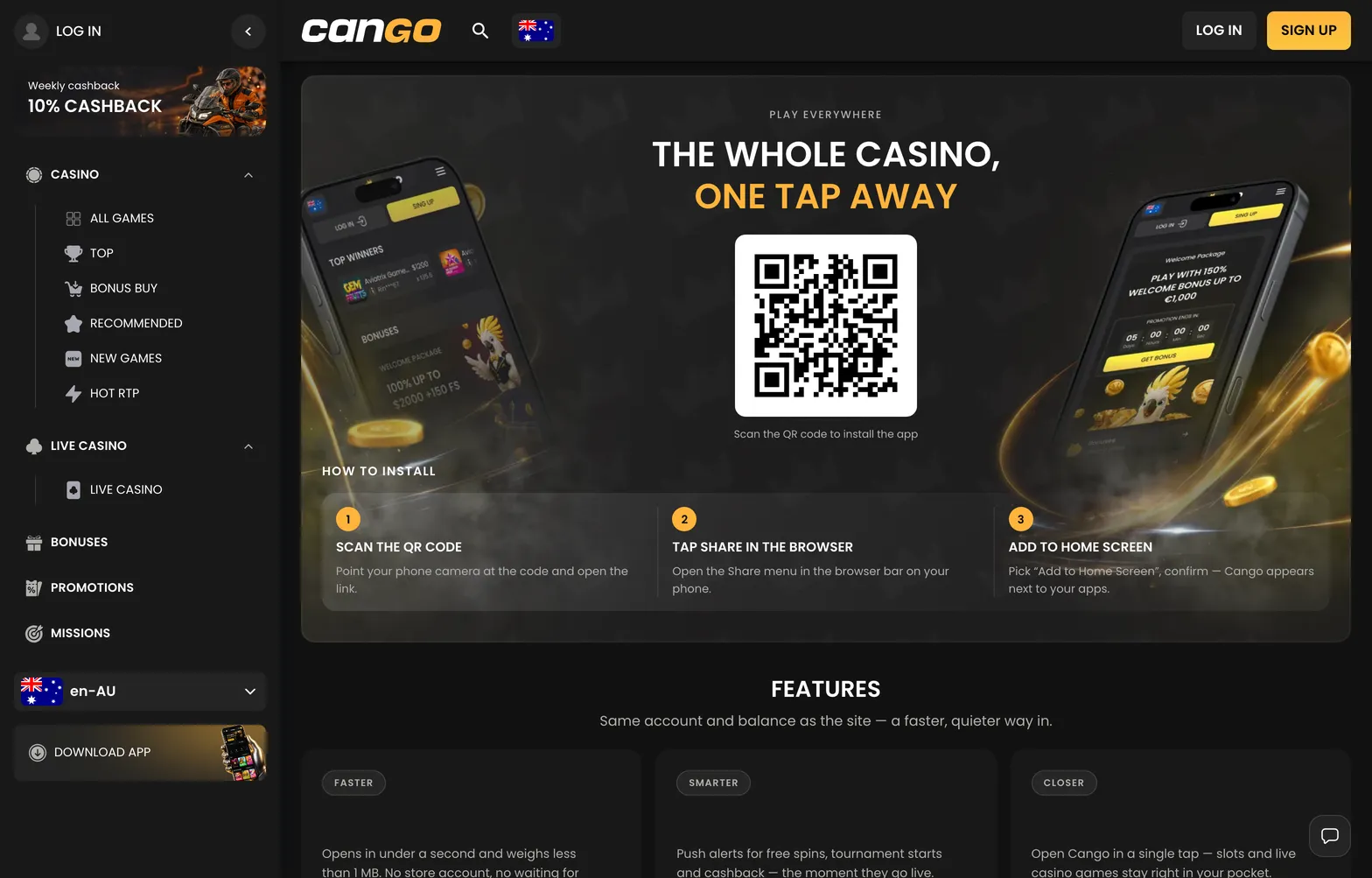
Install 001 cango 1568x1003

On Android, Chrome’s menu offers Install app or Add to Home screen; both create the Cango icon.

Cango android app: fixes

If the cango android icon does not appear on your home screen after you tap confirm, the most common cause is a locked home screen layout or a browser cache conflict. Samsung One UI and Xiaomi MIUI devices often have a setting that prevents new shortcuts from being added automatically, or puts them on the very last page of your app drawer. Swipe through all home screens and check the main app drawer first before repeating the installation.

A second reason the install button might not work is an outdated browser or an active incognito tab. Chrome blocks PWA installation when you browse in private mode, and older versions of default phone browsers sometimes show only a basic bookmark option instead of the full web app installer. Switching to a standard Chrome tab and clearing the site cache under browser settings resolves this immediately. Remember that using a VPN is not allowed at the casino, so turn off any proxy apps on your phone before logging in.

Launcher permissions can also block the shortcut creation silently. Open your Android phone settings, go to Apps, select Chrome, and check that the permission for Home screen shortcuts is turned on. If the shortcut opens with a blank screen or logs you out repeatedly, clear your browser cookies for the site and sign back in with your email and 8+ character password or Google sign-in. Your balance, active missions, and VIP status stay synced on the server, so clearing local data never affects your funds.

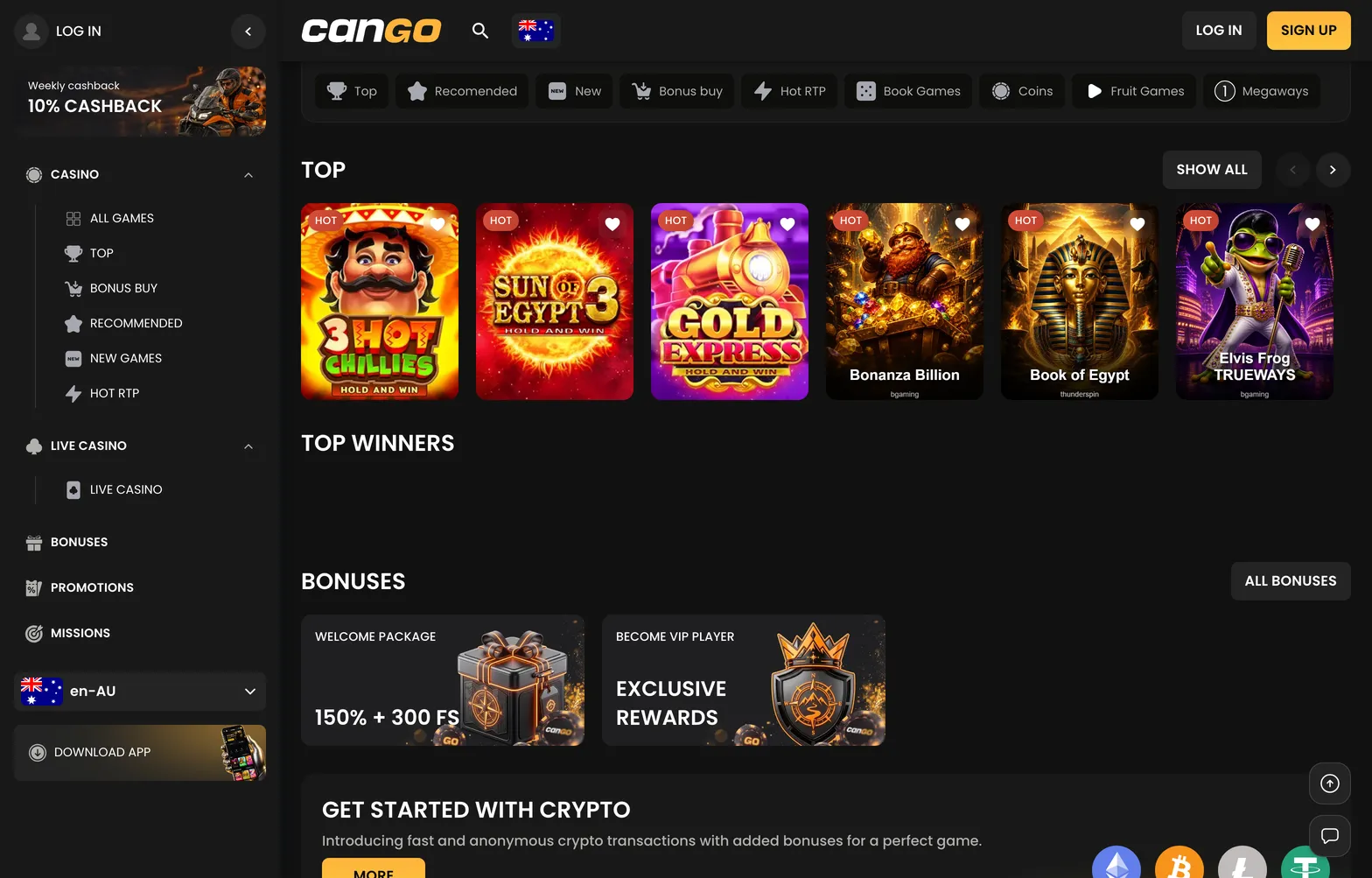
Home 010 cango 1568x1003

The installed app opens on the familiar Cango front page with the lobby tabs and the Log In button.

Cango android app: step by step

To install the cango android app properly, start by opening Google Chrome on your smartphone and loading the casino lobby. You can examine the full platform breakdown on our main Cango handbook page before you register or set up your mobile shortcut. Make sure you are in a normal browsing tab rather than incognito mode so Chrome can generate the application package.

Next, tap the three vertical dots in the upper right corner of the Chrome window to open the main menu. Look down the list for the line that says Install app, or on some older Android versions, Add to Home screen. Tap that line and wait a second for the system pop-up box to appear in the centre of your screen. Tap Install in the pop-up window, and Android will compile the web app and place the icon on your main screen within about five seconds.

When you tap the new icon, the casino opens like a standalone application with the category bar at the top for Top, Recommended, New, Bonus Buy, Hot RTP, Book Games, Coins, Fruit Games, Megaways, and Live Casino. You can test pokies such as Bonanza Billion, Sun of Egypt 3, or Elvis Frog TRUEWAYS using the Play demo button before funding your balance. If you decide to play for real money, open the cashier inside the app to deposit at least $15 AUD via Visa, Mastercard, or crypto, as POLi is not among the cashier methods. Example (illustration): if you deposit $60 AUD and enter promo code WP1 in the promo code field, you meet the $45 AUD minimum for the first welcome offer of 150% up to $1,500 AUD plus 300 free spins, giving you a $90 AUD bonus (with x30 wagering of $2,700 AUD within 7 days) and a total starting balance of $150 AUD alongside 100 spins per day for three days.

Cango android app: questions players ask

  • Is there a Cango Android app in the Google Play Store?

    No, Cango uses a progressive web app rather than a Play Store file. Kiwi players install it directly from Chrome by opening the browser menu and tapping Install app. It places an icon on your home screen without needing an APK file.

  • Can I claim the Cango welcome bonus on Android?

    Yes, the full cashier and promo code field work inside the Android web app. Enter code WP1 with a minimum deposit of $45 AUD to get the 150% match up to $1,500 AUD and 300 free spins. Wagering is x30 and usually has a 7-day window.

  • Are all Cango pokies available on Android phones?

    Yes, the mobile lobby holds the same 3,000+ games according to the casino, including all 277 BGaming titles and 60 Thunderspin pokies. Categories like Bonus Buy, Hot RTP, and Live Casino load in full screen on Android browsers.

  • How do I cashout from Cango on an Android device?

    Open the cashier in the Android app and select Visa OCT, Mastercard Payment Transfer, or a crypto wallet. The minimum cashout is $30 AUD, with weekly limits up to $8,000 AUD and processing taking up to 24 hours after a pending window of up to 24 hours.

  • Can I complete Cango account verification on my Android phone?

    Yes, the Sumsub check runs directly through your mobile browser and uses your Android camera. You can snap and upload your passport or national ID card, a proof of address under 90 days old, and a live selfie. Approval takes up to 48 hours.