

Cango logo
Cango logo
Menu
Smartphone displaying a colorful casino game with orange neon glow on dark surface, blurred night city bokeh background

Cango App: the mobile app in 2026

Updated: 10 November 2026

The cango app for Kiwi players is a progressive web application (PWA) installed directly from a mobile browser rather than the Apple App Store or Google Play. It runs the full lobby of 3,000+ pokies and live tables according to the casino, alongside the cashier and 24/7 support chat, without taking up phone storage. Because there is no NZD in the cashier, mobile accounts are opened in AUD or EUR, and all figures in this handbook appear in AUD. Cango has no sportsbook, and the mobile version is built strictly for casino play.

Cango casino app: install in brief

Installing the cango casino app takes under a minute on any modern smartphone or tablet because it bypasses external app stores entirely. Instead of downloading a large installation package, your mobile browser saves a dedicated web wrapper to your home screen. Cango scores 4.1 out of 5 in our editorial rating, with the mobile experience earning 4.0 out of 5 as this handbook’s own opinion. The score reflects fast loading on 4G and Wi-Fi connections and easy one-handed navigation across categories like Top, Recommended, New, Bonus Buy, and Hot RTP, balanced against the downside that the app is a PWA rather than a native store build.

DeviceInstallation stepsRequirements
iPhone (iOS)Open in Safari, tap Share, select Add to Home ScreeniOS 13 or newer, Safari browser, active internet
iPad (iPadOS)Open in Safari, tap Share icon in toolbar, tap Add to Home ScreeniPadOS 13 or newer, Safari browser
Android phoneOpen in Chrome, tap three-dot menu, select Install app or Add to Home screenAndroid 8.0 or newer, Chrome or modern browser
Android tabletOpen in Chrome, open browser menu, tap Install appAndroid 8.0 or newer, standard display settings
Desktop / LaptopOpen in Chrome or Edge, click the install icon in the address barWindows or macOS with a Chromium browser

Once the icon sits on your screen, tapping it launches Can Go Casino in full-screen mode without the browser address bar getting in the way. Kiwi players get identical access to the cashier, the Missions section after login, and the two-step VIP Club (which requires a verified phone number and a qualifying deposit of around $1,000 AUD per month). You can also claim the permanent welcome offer of 150% up to $1,500 AUD plus 300 free spins using code WP1 with a minimum deposit of $45 AUD directly from your phone.
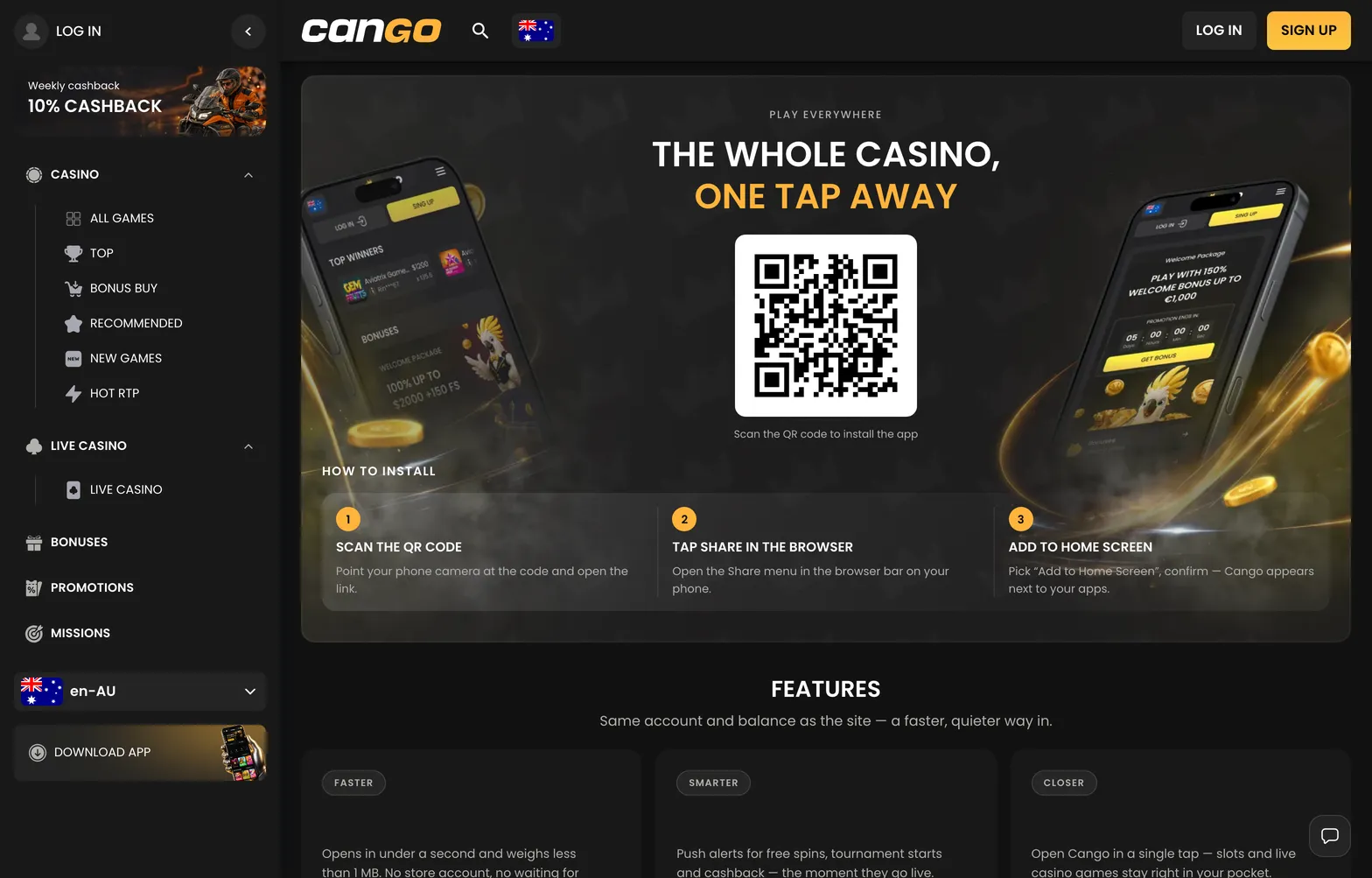
Install 001 cango 1568x1003

The install screen of the Cango PWA shows the Add to Home Screen steps for iPhone and the Install app option for Android.

Cango app: fixing app problems

Most issues with the cango app come down to browser cache conflicts, interrupted connections, or blocked permissions during verification. Because a PWA relies on your mobile browser engine, troubleshooting happens inside Safari or Chrome settings rather than through a traditional store update. Below are the most common glitches Kiwi players encounter and how to resolve them cleanly.

  • The home screen icon never appeared after installation. On iPhone, this happens if you opened the site inside Chrome or an in-app browser instead of Safari, as iOS only permits home screen web apps through Safari. On Android, check whether your home screen layout is locked in your launcher settings, or swipe to the last page of your app drawer where new shortcuts land by default.
  • The app logs you out between sessions. This happens when your browser is set to Private or Incognito mode, or when a battery-saving cleaner wipes cookies every time you close the window. Switch to a standard browser tab before adding the shortcut and allow cookies for the site.
  • A pokie freezes mid-spin or shows a black screen. Clear the browser cache for the site, close the PWA window from your recent apps switcher, and reopen it. If a round in Bonanza Billion or 3 Hot Chillies was interrupted after a bet left your balance, the game server settles the outcome automatically or restores the round when you reload.
  • Your account locks or refuses to load the lobby. Remember that using a VPN is strictly banned at Cango. Many mobile security tools include an automatic VPN on public Wi-Fi, so turn that feature off before logging in.
  • Camera access fails during Sumsub verification. Before your first cashout (minimum $30 AUD via Visa OCT, Mastercard Payment Transfer, or crypto wallet), you must upload a passport, national ID card or another photo ID, a proof of address under 90 days old, and a live selfie. If the camera does not open inside the PWA, go to your phone settings, select Safari or Chrome, and set Camera permissions to Allow.

If a deposit or bonus issue persists after clearing your cache, tap the live chat icon in the bottom corner. Support operates 24/7 and replies in about 2 minutes.

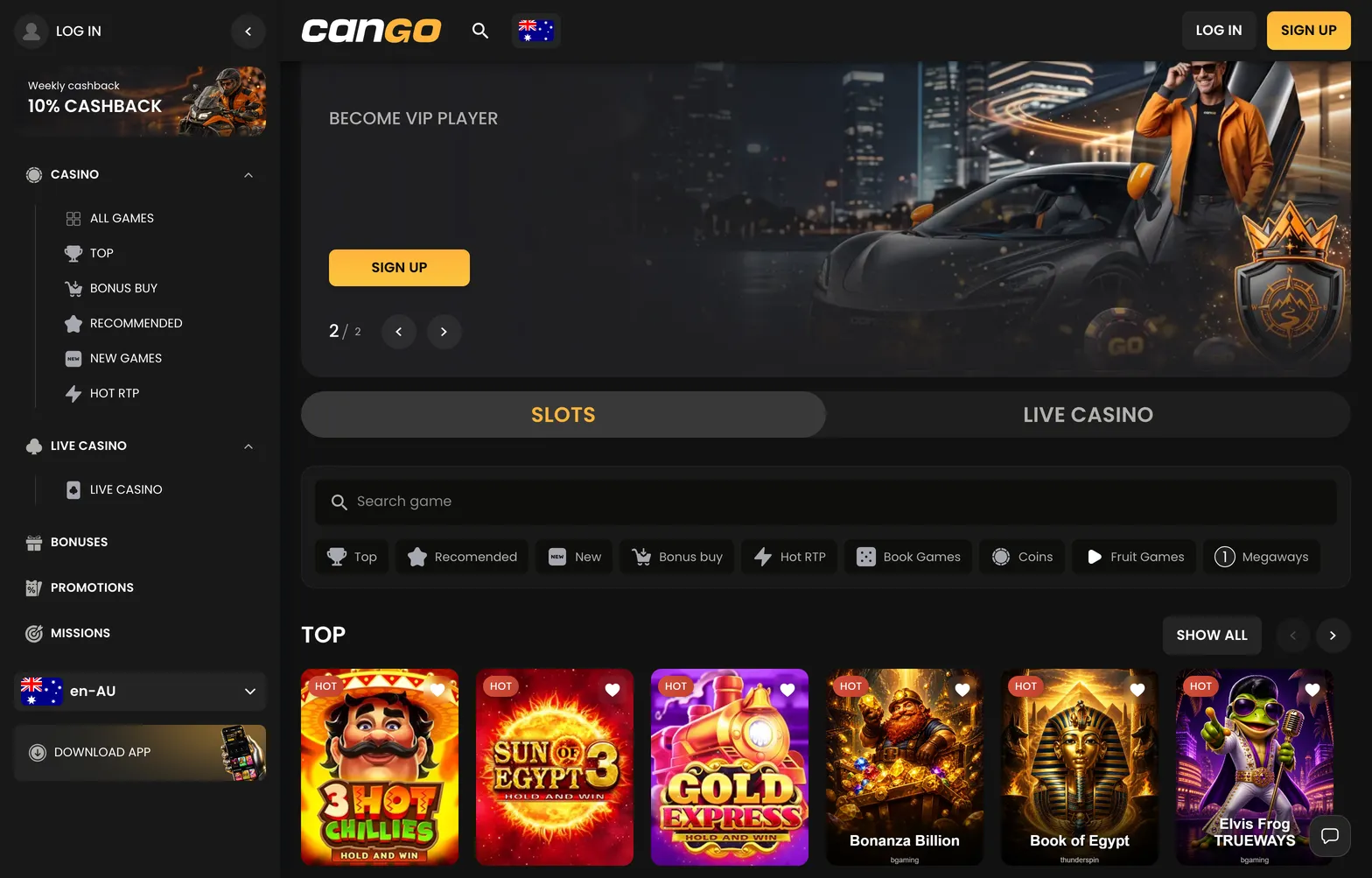
Home 002 cango 1568x1003

After installation the icon opens the same lobby, cashier and live chat as the desktop site, in full screen.

Cango mobile: iPhone install

Setting up cango mobile on an iPhone or iPad requires Apple’s default Safari browser. Cango has no App Store build, so the PWA route is the standard way to put the lobby on your device. If your household uses more than one type of smartphone, you can also check our separate guide for the Cango android app to see how Google devices handle the setup.

To install on iOS, first open Safari and navigate to the Can Go Casino homepage, or scan the QR code displayed on the desktop application page using your iPhone camera. Second, wait for the main lobby to finish loading so the icon assets cache properly. Third, tap the Share button at the bottom centre of the Safari toolbar, which looks like a square with an upward arrow. Fourth, scroll down the action sheet until you see Add to Home Screen and tap it. Fifth, check the shortcut name (you can leave it as Cango) and tap Add in the top right corner.

The shortcut now sits alongside your regular apps. When you open it, you can register via the single sign-up form by entering your email, an 8+ character password, New Zealand as your country, AUD or EUR as your currency, and the promo code WP1 in the “I have a promo code” field, or simply use Google sign-in. Remember that Cango has no permanent no deposit bonus, though you can tap Play demo on pokies like Elvis Frog TRUEWAYS or Sun of Egypt 3 to test the touch controls for free.

Example (illustration): Suppose you deposit $60 AUD on your iPhone using Visa or Mastercard (minimum deposit for the welcome bonus is $45 AUD, while a standard deposit starts at $15 AUD; note that POLi is not in the cashier). With code WP1, the 150% match adds $90 AUD in bonus funds, giving you a $150 AUD total balance. Wagering is x30 on the $90 AUD bonus, meaning you need $2,700 AUD in pokie bets within 7 days, keeping spins at or below the maximum bet of about $7.50 AUD. You also receive 300 free spins across three days: 100 on day 1 in Bonanza Billion, 100 on day 2 in Thunder Coins XXL, and 100 on day 3 in 3 Super Hot Chillies.

Cango download: adding it on Android

A cango download on Android does not involve hunting for third-party APK files or toggling risky security permissions on your phone. Instead, Google Chrome packages the site into a clean web app that integrates with your app drawer and system notifications. Because there is no manual APK file, your phone stays protected and every new game batch from BGaming (277 titles), Thunderspin (60 titles), Booongo, Playson, or Pragmatic Play appears automatically when you open the lobby.

To add the app on an Android phone or tablet, open Google Chrome and load the casino site. Wait a few seconds for the bottom banner prompt to appear, or tap the three vertical dots in the top right corner of the browser. In the dropdown menu, tap Install app (on some older Samsung or Oppo interfaces, this line reads Add to Home screen). A system pop-up will ask you to confirm the installation. Tap Install, wait about three seconds for Android to generate the package, and exit Chrome.

You will find the Cango icon on your home screen and inside your main app drawer, and the Slots / Live Casino switch, search bar and collections work the same way as on desktop.

Cango casino app: still unsure?

  • Is there a dedicated cango app for my phone?

    Cango does not have a downloadable app in the standard app stores. Instead, you can use the web browser on your phone to create a PWA, which adds a shortcut icon to your home screen for quick access.

  • How do I install the Cango app on my iPhone?

    Open Safari and go to the Cango mobile site. Tap the Share button at the bottom of the screen, scroll down, and select Add to Home Screen to place the Cango icon on your device.

  • Can I download a Cango casino app for Android?

    You do not download an app from the Play Store. Simply open the casino site in your mobile browser, look for the option to install the app or add to home screen in your browser settings, and it will appear on your device.

  • Does the mobile site have all the same games?

    Yes, the mobile version is designed to be fully functional. You can access the same lobby categories, including pokies and live casino, and use your existing account details just as you would on a desktop.

  • What if the Cango app icon does not work?

    The PWA acts as a shortcut to the mobile browser. If it does not load, ensure your internet connection is stable or try clearing your mobile browser cache before restarting the browser.